Amazon Merch Research Tool
Search live Amazon Merch on Demand listings to spot winning niches and validate ideas — free, no sign-up.
How It Works
From keyword to winning niche in three clicks.
Enter a Keyword or Niche
Type any niche, hobby, profession, or phrase your target buyer would search — like "nurse", "fishing", or "cat mom". Leave it blank to browse everything.
Pick Marketplace & Product
Choose US, UK, or DE and the product type (t-shirt, hoodie, tank top and more). The tool tunes the exact Amazon filters for Merch on Demand listings.
See Live Merch Listings
Click Search — Amazon opens in a new tab showing only print-on-demand results. Study top sellers, titles, and designs to spot winning niches.
How to Find a Winning Niche
A simple, repeatable workflow that takes you from a rough idea to a validated, low-competition niche — using only the free tool above.
Start Broad, Then Sort by Best Sellers
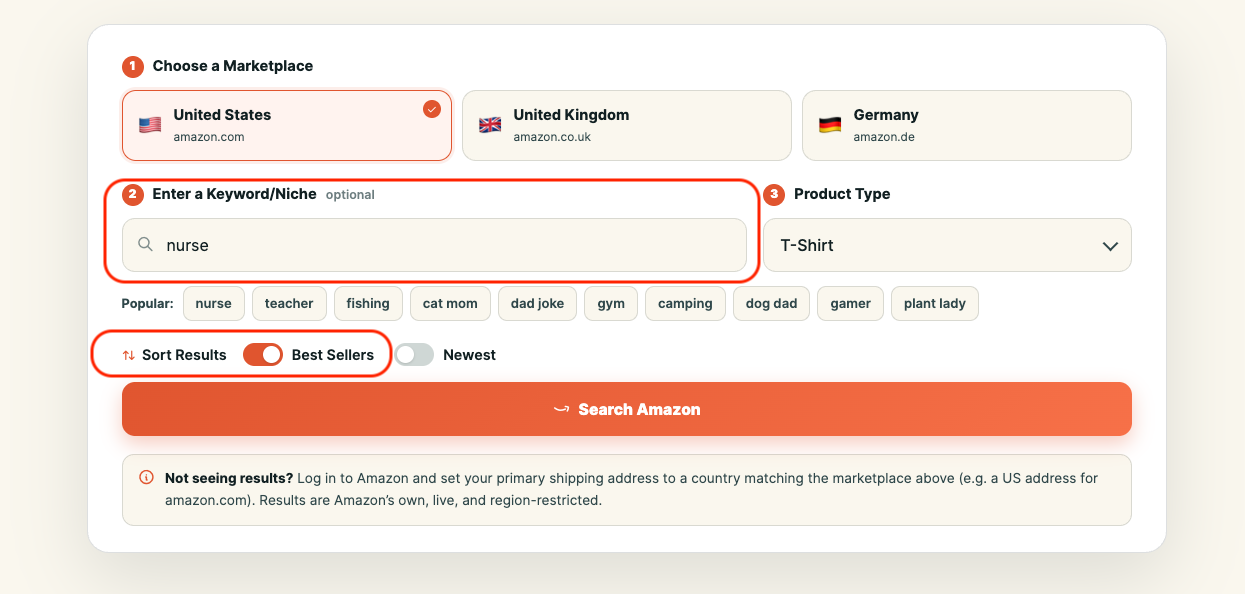
Begin with a broad interest, hobby, or profession — like nurse, fishing, or camping — and search with Best Sellers turned on. This instantly surfaces the designs that are actually selling, not just the ones that exist. If strong sellers already fill the page, you have proof that real buyers are spending money in that niche — exactly where you want to start.
Study What the Winners Do
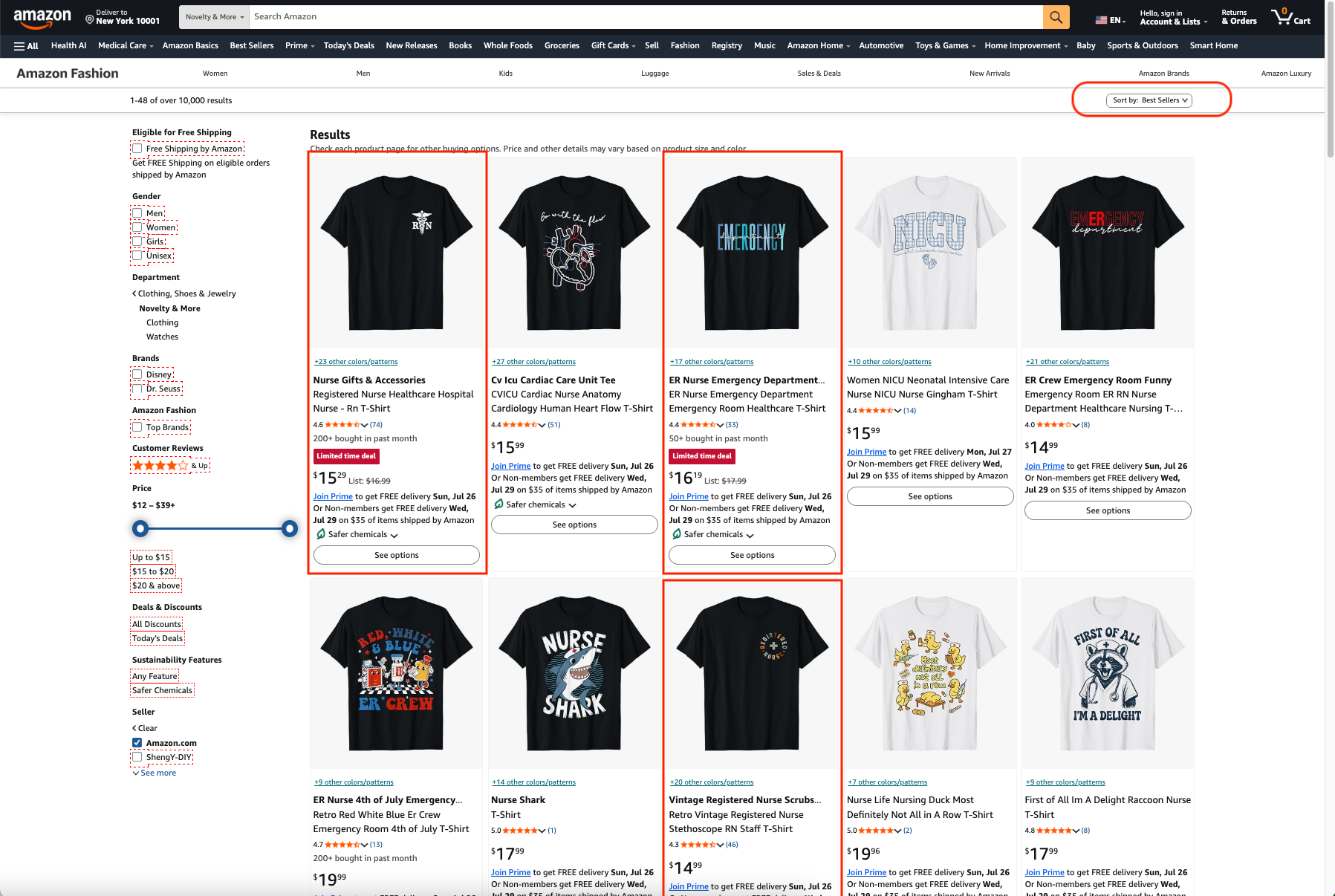
Open the top 20–30 listings and look for what they share. Note the recurring themes, phrases, jokes, colour palettes, and layouts — patterns that show up again and again are patterns that convert. Check the “bought in past month” badges and review counts to see how much each design is really moving. The goal isn’t to copy, but to understand the formula buyers respond to.
Niche Down Into Sub-Niches
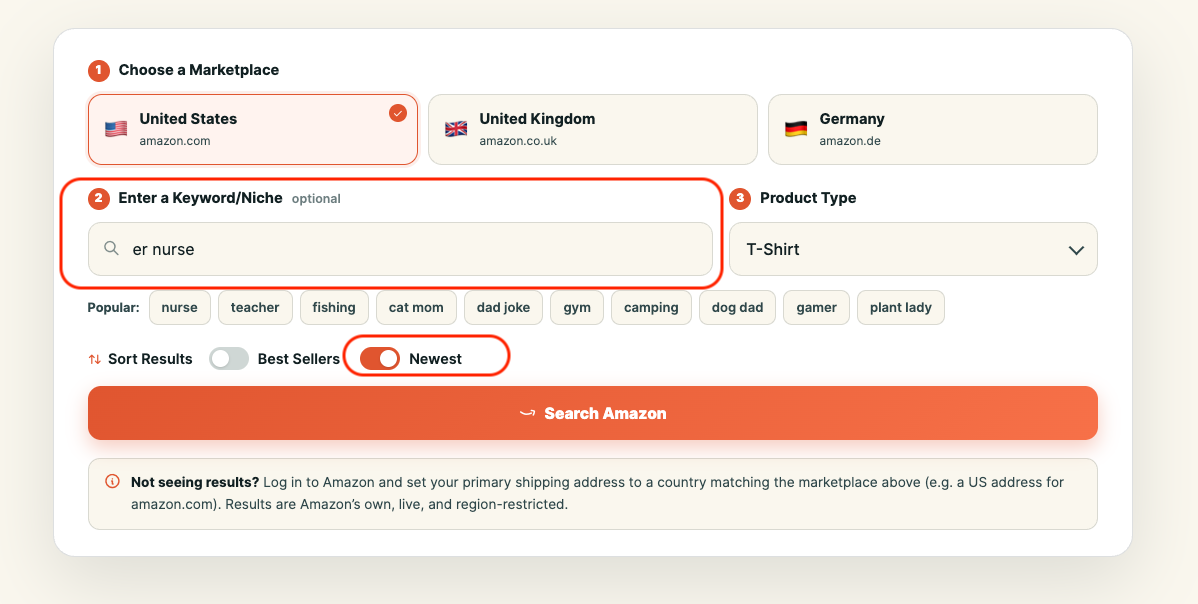
Broad niches are crowded, so get specific. Add a modifier and “nurse” becomes “ER nurse”, “night-shift nurse”, or “nurse practitioner”. These sub-niches have smaller but far more loyal audiences and dramatically less competition, which gives a new design a real chance to rank and sell. Keep drilling down until you find a pocket with clear demand but only a handful of quality designs.
Check Newest for Rising Trends
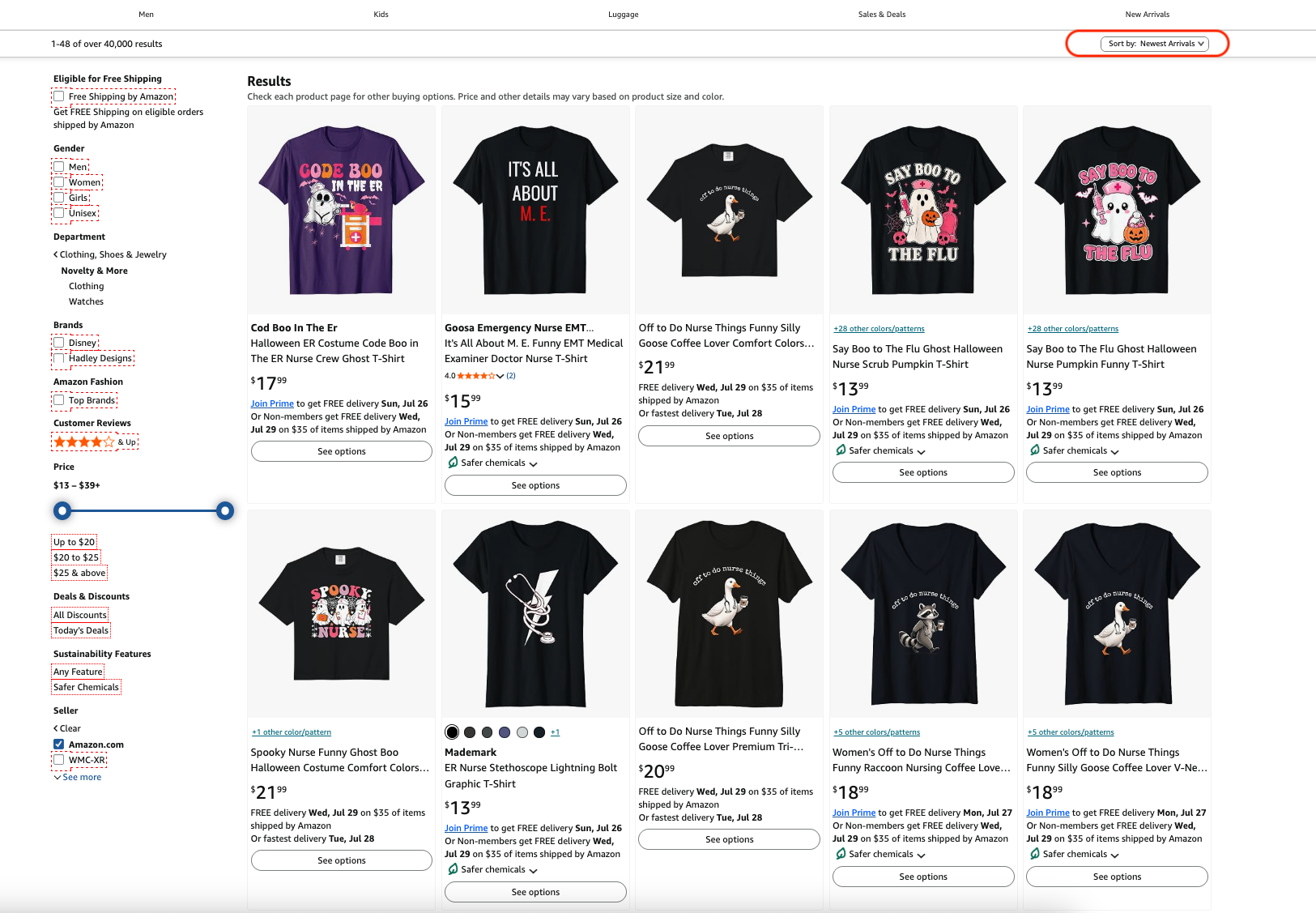
Switch on the Newest toggle to see exactly what sellers are uploading right now. If a young niche already has products climbing the ranks, you’ve likely caught a trend early — the best possible time to enter. Watch for fresh themes around holidays, events, and pop culture, and move quickly while competition is still thin.
Weigh Demand Against Competition
A winning niche is a balance: enough demand to sell, but a field shallow enough to rank in. On Amazon, open a few top results and check their Best Sellers Rank (BSR) and review counts — a lower BSR means more sales, and fewer reviews means less-established rivals. The sweet spot is proven demand with only a couple of strong competitors, leaving clear room for a better design to break through.
Compare Markets, Then Design and Verify
Run the same niche on the UK and German stores — something saturated in the US may be wide open abroad. Once you’ve found your opening, create a fresh, original design that improves on what’s already ranking rather than copying it. Finally, always run your title and slogan through a trademark check before uploading, so a great design doesn’t get taken down later.
Frequently Asked Questions
What Is the Amazon Merch Research Tool?
It is a free tool that searches live Merch on Demand (formerly Merch by Amazon) listings. Enter a keyword, choose a marketplace and product type, and it opens Amazon showing only print-on-demand products — perfect for niche and product research.
How Does It Show Only Merch on Demand Products?
It builds an Amazon search filtered to items sold by Amazon within the novelty apparel category — the way print-on-demand Merch listings are fulfilled. That isolates Merch products from third-party sellers so you research the right catalogue.
Do I Need a Merch by Amazon Account to Use It?
No. Anyone can use the tool to research listings. You only need a Merch on Demand account when you are ready to upload and sell your own designs.
Why Am I Not Seeing Any Results?
Results are Amazon’s own and are region-restricted. Log in to Amazon and set your primary shipping address to a country that matches the marketplace you picked (for example a US address for amazon.com), then search again.
Is It Really Free?
Yes — completely free, no sign-up, and no limits. The tool simply builds the right Amazon search link and opens it for you; it does not store any of your searches or data.
Which Marketplaces and Products Are Supported?
The US, UK, and German Amazon stores, across t-shirts, long sleeves, sweatshirts, hoodies, v-necks, raglans, tank tops, PopSockets, phone cases, throw pillows, and tote bags.
What Is the Difference Between the Best Sellers and Newest Filters?
Best Sellers shows the designs selling the most right now — proof of demand. Newest shows what sellers have uploaded most recently — ideal for spotting rising trends early, before a niche gets crowded.
How Is This Different From Paid Tools Like Merch Informer?
Paid suites add deeper data such as estimated sales, BSR history, and trademark checks. This free tool focuses on fast, accurate discovery — surfacing exactly the live Merch listings you need to study, at no cost and with no account.
Can I Copy the Designs or Text I Find?
No — treat top listings as inspiration only. Copying artwork or slogans can infringe copyright or trademarks and get your account suspended. Use what you learn to create original designs, and always run your phrase through a trademark check first.
Does It Work on Mobile?
Yes. The tool is fully responsive and works on phones and tablets, so you can research niches wherever you are.
More Free Tools
Everything you need to research, optimise, and grow.