
We're long past the days when people relied on word of mouth or the phone book to find a local business. Today, almost everyone checks online first — and reviews carry enormous weight. Survey after survey finds that roughly nine in ten consumers read online reviews before choosing a local business. That tells you everything about how much your online presence matters.
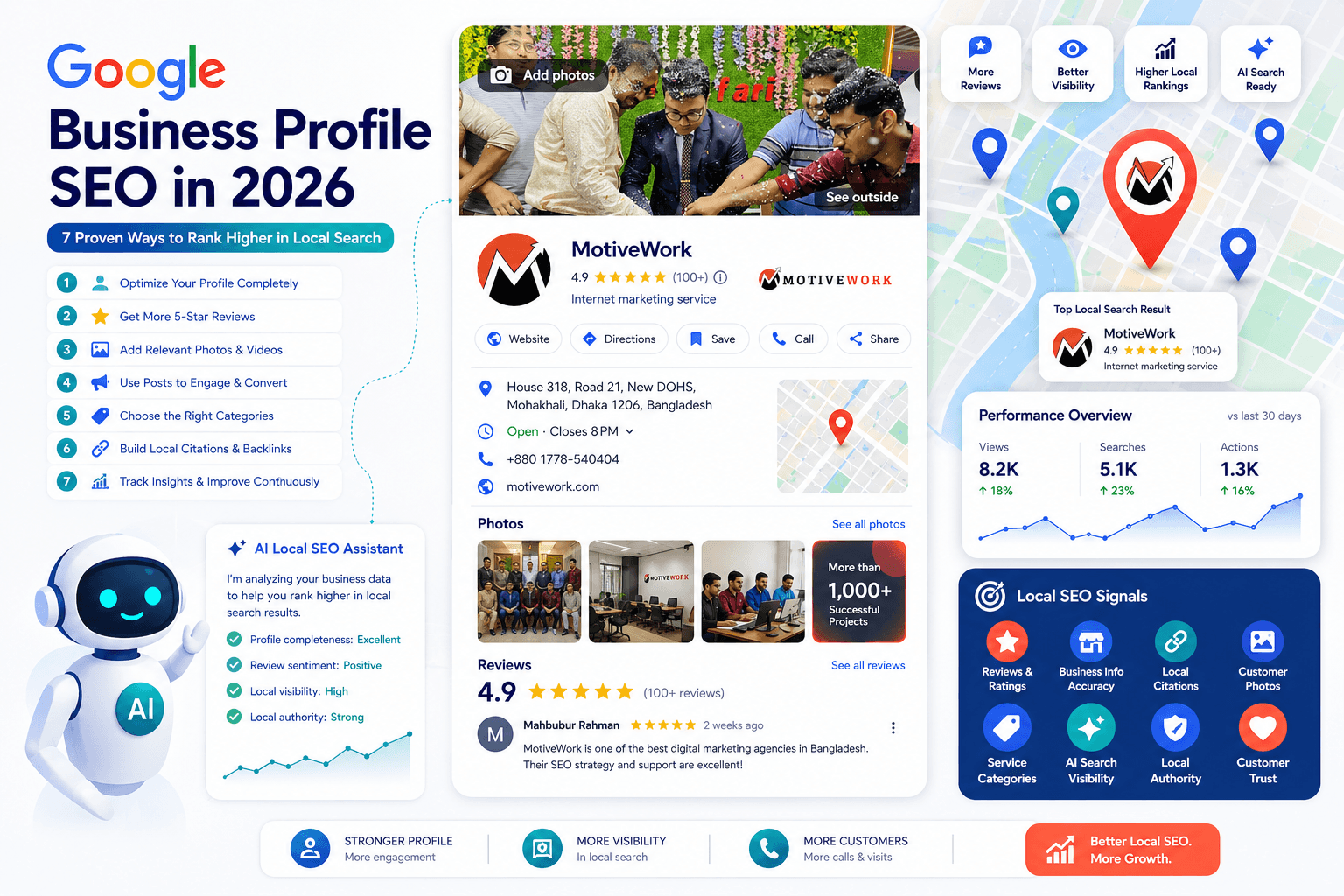
Google saw this shift coming early, which is why it built the tool now called Google Business Profile to help businesses reach nearby customers. With local competition fiercer than ever, optimizing that profile has become one of the highest-impact things a local business can do.
Name Update
If you're still searching for "Google My Business," that name is gone. Google rebranded Google My Business (GMB) to Google Business Profile (GBP) in late 2021, and discontinued the standalone GMB app in July 2022. You now manage your profile directly through Google Search and Google Maps. (Large or multi-location businesses still use the Business Profile Manager dashboard.) Throughout this guide, GBP and "your profile" refer to the same thing your competitors may still be calling GMB.
01 What Is Google Business Profile?
Ever searched for a local business — a burger joint, a furniture store — and noticed the results look different from a normal search? You see the locations, services, hours, photos, and reviews laid out in a tidy panel. That's Google Business Profile at work.
GBP is a free Google tool that lets you create and manage a business listing that appears across Google Search and Maps. Think of it as opening a storefront on Google itself, with all the search engine's reach built in — at no cost. When someone nearby searches for what you offer, a well-maintained profile is what gets you found.
02 Why GBP SEO Matters: The Local Pack
When someone searches for a local business or service, Google typically shows three things: the Local Pack (the map with the top three listings), organic search results, and sometimes Google Ads. Which results appear, and in what order, depends on the query and on how well-optimized the competing profiles are.
A well-built profile increases your local visibility, which drives more clicks, calls, direction requests, and ultimately sales. The prize is landing in the Local Pack — often called the "3-Pack." It's competitive, but once you're in, you turn a lot of heads. Google says it uses three pillars to rank local results:
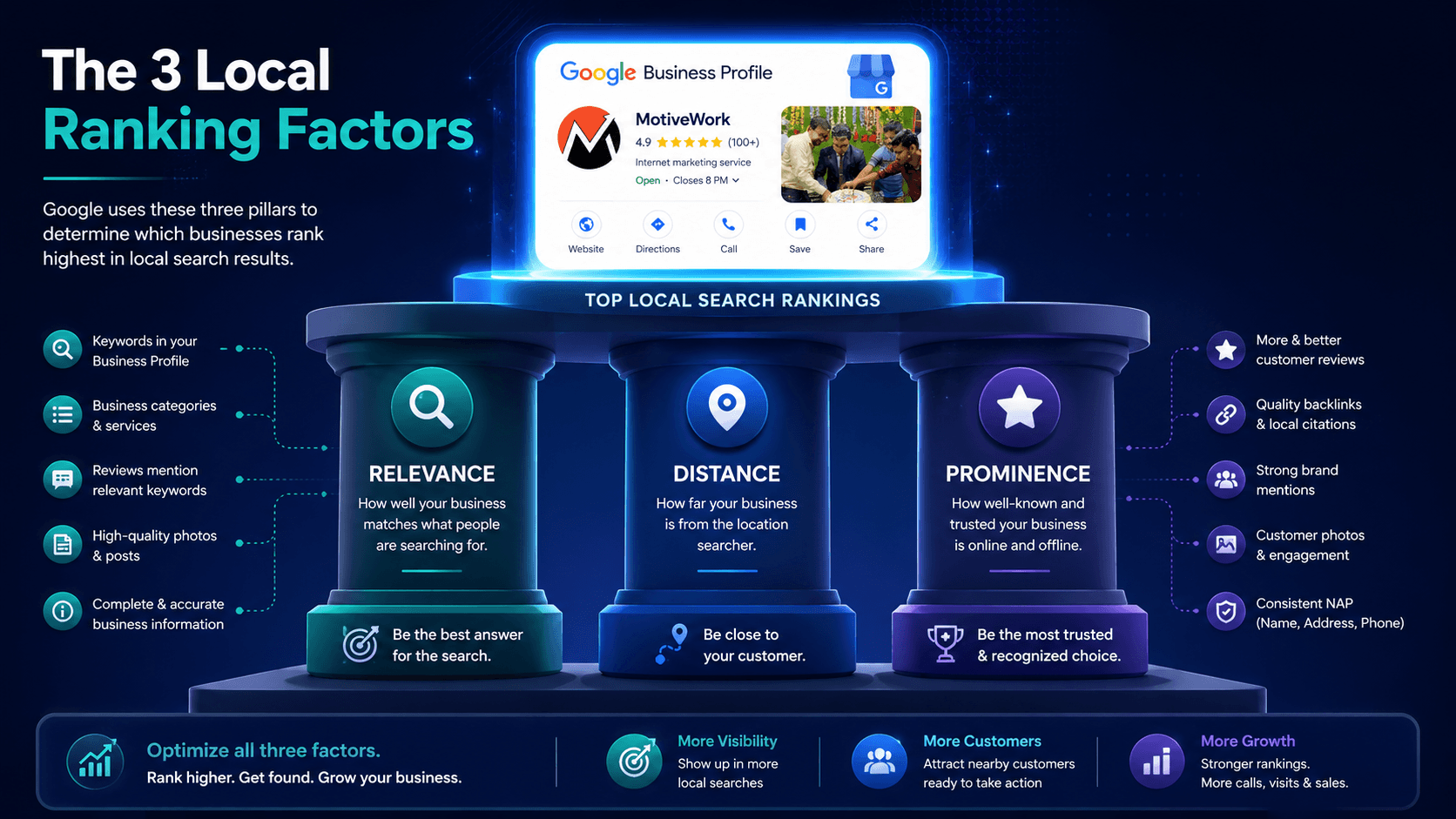
How well your profile matches what someone is searching for. Complete, detailed information — categories, services, descriptions — tells Google exactly what you offer and when to show you.
How close you are to the searcher or the location in their query. You can't move your business, but you can accurately define your service area so Google understands exactly where you operate.
How well-known and reputable your business is. This is driven by reviews, links, overall web presence, and — increasingly — engagement signals. A profile that gets clicked, called, and reviewed ranks higher than one that sits idle.
Through 2025, Google updated its local ranking guidance to lean harder on popularity and engagement — how often people actually interact with your profile, read your reviews, and visit your site. A profile that just sits there loses ground to one that's actively maintained.
03 Getting Started: Setting Up Your Profile
Setting up GBP is straightforward. A desktop or laptop is easier than a phone for initial setup, and you'll usually run into one of three situations:
For a business with no existing listing. You'll fill in your details, choose categories, and go through Google's verification process.
Common for established businesses — Google may have already created a listing for you from public data. Once claimed, you can edit everything.
The tricky one. You'll need to go through Google's reclamation and verification process. With proper proof of ownership you can usually recover it, though it may take time.
A quick tip: use a professional email tied to your business name. Here's what to fill in once you're in.
Profile Setup Essentials
- Business Name — Keep it identical everywhere: your website, profile, and social accounts. Consistency matters more than you'd think.
- Category — One primary (your core business) plus additional categories. Google offers roughly 4,000 to choose from.
- Description — Concise, reader-friendly summary of your products, services, and what makes you worth choosing. No HTML or URLs allowed here.
- Location or Service Area — Physical address if you have a storefront; region/city/postal codes if you're service-area only (plumber, cleaner, cloud kitchen).
- NAP — Name, Address, Phone must match exactly across every platform you appear on.
- Business Hours — Including special hours for holidays or limited-service days. Update these whenever they change.
- Photos — Storefront, products, interior, logo. Listings with images consistently earn more direction requests and website clicks.
Discontinued Feature
Older guides tell you to "enable Google messaging" so customers can chat from your listing. Google permanently shut down Business Profile chat and call history on July 31, 2024. If you want to offer chat, route customers to your website's live chat, WhatsApp, or social DMs instead.
04 1. Keep Your Profile Updated and Consistent
Nothing tanks local visibility faster than stale or mismatched information. Check your profile regularly, and whenever something changes — hours, address, phone, services — update it everywhere at once.
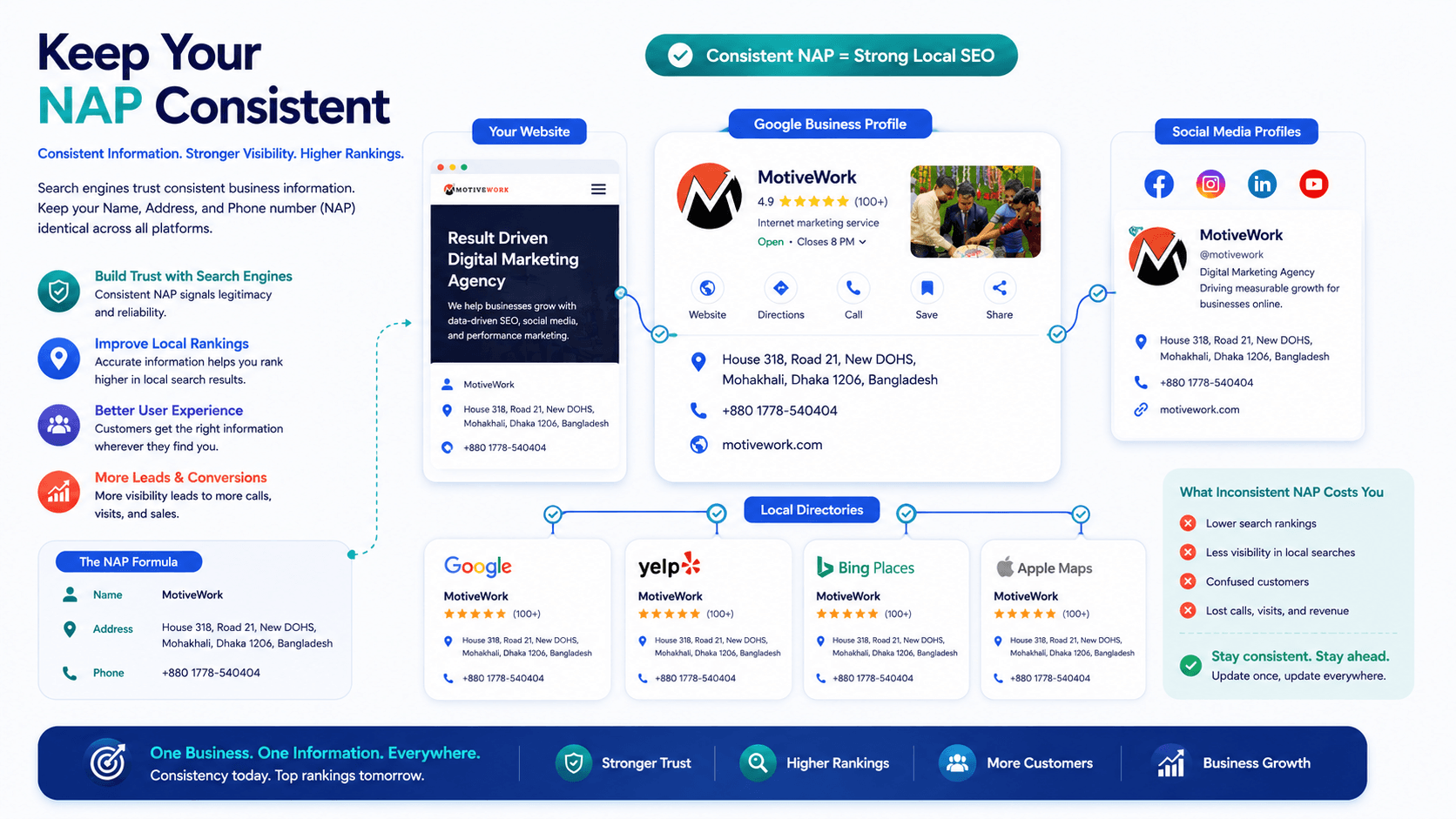
Inconsistent NAP details across the web can suppress your rankings. Audit your name, address, phone, and description across your site, profile, and directory listings to make sure they all match. Given Google's heightened emphasis on engagement, treating your profile as a living thing — not "set and forget" — is now a ranking advantage in itself.
New hours for a holiday? Update the profile before customers show up at a closed door. Changed your phone number? Update it everywhere simultaneously. Stale data frustrates customers and sends mixed signals to Google.
Your Name, Address, Phone should be identical on your GBP, website, Yelp, Facebook, Apple Maps, and every directory you appear in. Even small discrepancies — "St." vs "Street" — can create confusion for Google's local algorithm.
05 2. List Your Products and Services
Add the products and services you offer directly to your profile. It shows searchers exactly what you provide — often before they click through to your site — and gives you an edge over competitors who leave this blank. For each item you can add a name, image, price, category, and description.
Be aware that Google restricts certain regulated items — tobacco, alcohol, gambling, financial services, medical devices, and non-FDA-approved supplements. Violating those policies can get your entire catalog removed, so stay within the guidelines.
06 3. Choose Categories Strategically
Categories do far more heavy lifting for local rankings than most people realize. Your primary category should map directly to your core business. The strategy lives in the additional categories — choose ones that capture the other searches you want to show up for, without stacking irrelevant ones (Google penalizes category stuffing).
This should describe your single most important offering and is the only category publicly visible on your profile. Make it precise — "Italian Restaurant" beats "Restaurant."
These capture the other searches you want to win. Light keyword research with tools like Ahrefs or Semrush helps. To see what additional categories competitors use, browser extensions like GMB Everywhere can reveal them (they're not publicly shown in the interface). If category strategy feels overwhelming, it's a sensible place to bring in SEO help.
07 4. Add Attributes to Describe Your Business
Attributes are short, specific tags that tell users (and Google) more about you at a glance. A dental clinic might add "emergency dental service" or "teeth whitening." A resort might list amenities, accepted payment methods, accessibility options, activities, and languages spoken.
These expand the range of searches your profile can surface for. Someone searching "emergency dental service near me" is more likely to find a profile that explicitly carries that attribute. Fill out as many relevant ones as apply to you — they're free signals you're leaving on the table if you ignore them.
Pro Tip
Attributes vary by business category — you'll only see ones Google considers relevant for your type of business. Check back after changing your categories, as new attribute options may become available. Attributes also feed directly into the new AI-powered Ask Maps feature covered in Tip 7.
08 5. Upload Photos and Publish Posts Regularly
Fresh photos and posts signal an active, credible business to both users and Google. New product? Renovated lobby? Post the pictures. When you upload images, name the files descriptively and use geotagging where appropriate to reinforce local relevance.
Add real, high-quality images — storefront, interior, products, team. Listings with photos earn significantly more direction requests and website clicks than those without. Aim to add new photos at least monthly to keep the profile looking active.
Up to 1,500 characters with a photo — use them for offers, events, and announcements. Work target keywords in naturally. Posts get de-emphasized as they age, so post consistently. A steady drumbeat keeps your profile fresh and your latest updates front and center.
09 6. Make Reviews Your Priority
Reviews are now one of the most powerful local ranking and conversion levers you have — and Google has raised the stakes. Through 2025, Google significantly increased the weight it places on review recency. A great bank of reviews from two years ago no longer cuts it. Google reads a steady, ongoing stream of new reviews as proof your business is active and popular right now.
The Review Pattern Most Businesses Experience
- Reviews flow in → rankings rise
- Reviews stall → rankings slip
- Reviews return → rankings recover
Make review generation a routine habit, not an afterthought. Ask satisfied customers directly — in person, by email, or via a direct link to your review page. Then respond to every review, positive or negative. Thank happy customers genuinely, and handle criticism calmly and constructively — never defensively. Thoughtful responses build trust with both prospective customers and Google.
Always follow Google's policy and never buy or incentivize fake reviews. It can get your profile penalized or removed entirely — and it's not worth the risk when genuine reviews are this achievable with the right process.
10 7. Feed the AI: Optimize for "Ask Maps" and Answer Engines
This is the biggest 2026 shift, and it's where you can pull ahead of competitors still working from old playbooks.
Google has retired the traditional public Q&A section on Business Profiles — it discontinued the Q&A API on November 3, 2025, and began phasing out visible Q&A threads on December 3, 2025. In its place, Google introduced "Ask Maps," powered by its Gemini AI. Instead of waiting for a business owner to answer a typed question, the AI now generates an instant answer by scanning your profile details, your services and attributes, your website, and especially your reviews.
How Ask Maps Works
If a customer asks "Does this place have outdoor seating and fast Wi-Fi?", Google won't wait for you to reply — it will answer from whatever data it can find. That changes the game: your job is now to make sure the AI has accurate, complete source material to pull from.
This is local SEO meeting Generative Engine Optimization (GEO) — optimizing not just to rank, but to be the source the AI uses to answer. Here's what to do:
Anything that used to live in Q&A should now be in your business description, services list, attributes, and an FAQ section on your website. The AI reads your profile data — make sure everything important is explicitly stated there.
The AI answers from your profile data. If your hours, amenities, or services aren't listed, the AI can't tell customers about them. Fill out every field, every attribute, every section.
Reviews are now a primary source the AI reads. Encourage customers to mention specific things — parking, ambiance, particular services, wait times — because the AI will pull from those mentions when answering future customer questions. A review saying "great outdoor patio" is now a searchable data point.
During the Rollout
If your profile still shows a Q&A section during the transition, keep answering questions there until it disappears. The phaseout is gradual and may not have reached all profiles simultaneously.
11 The Bottom Line
A well-optimized Google Business Profile remains one of the best free ways for a local business to win new customers — and the businesses that treat it as an active, ongoing effort are the ones pulling ahead. The fundamentals still hold: complete, consistent information; the right categories; great photos; and a steady flow of fresh reviews.
What's changed is the direction of travel. Google is moving local search toward AI-driven answers, where your profile, reviews, and website become the raw material that Gemini draws from to answer customers directly. Optimize for that future — feed the machine accurate, complete, compelling information — and you'll stay visible no matter how the interface evolves.
- Keep NAP consistent everywhere and treat your profile as a living document, not a one-time setup.
- List your products and services in detail — don't leave this blank for competitors to exploit.
- Choose your primary category carefully, and use additional categories to capture every search you want to win.
- Fill out every relevant attribute — they feed Google's ranking signals and now power the AI's answers.
- Post photos and Google Posts consistently; fresh content signals an active, credible business.
- Make reviews a habit — steady, recent, genuine reviews are now a direct ranking lever.
- Optimize for Ask Maps: detailed descriptions, FAQs on your site, and review content that answers the questions customers actually ask.
Most businesses already have a profile. If you don't, you're handing customers to competitors who do. Get yours set up, keep it active, and if you'd like a hand with the strategy, reach out to a local SEO specialist.